Fit a Home Desk Into a Room You Share
Find a workable position for a home desk using actual work hours, screen glare, chair clearance, calls, and a quick reset.
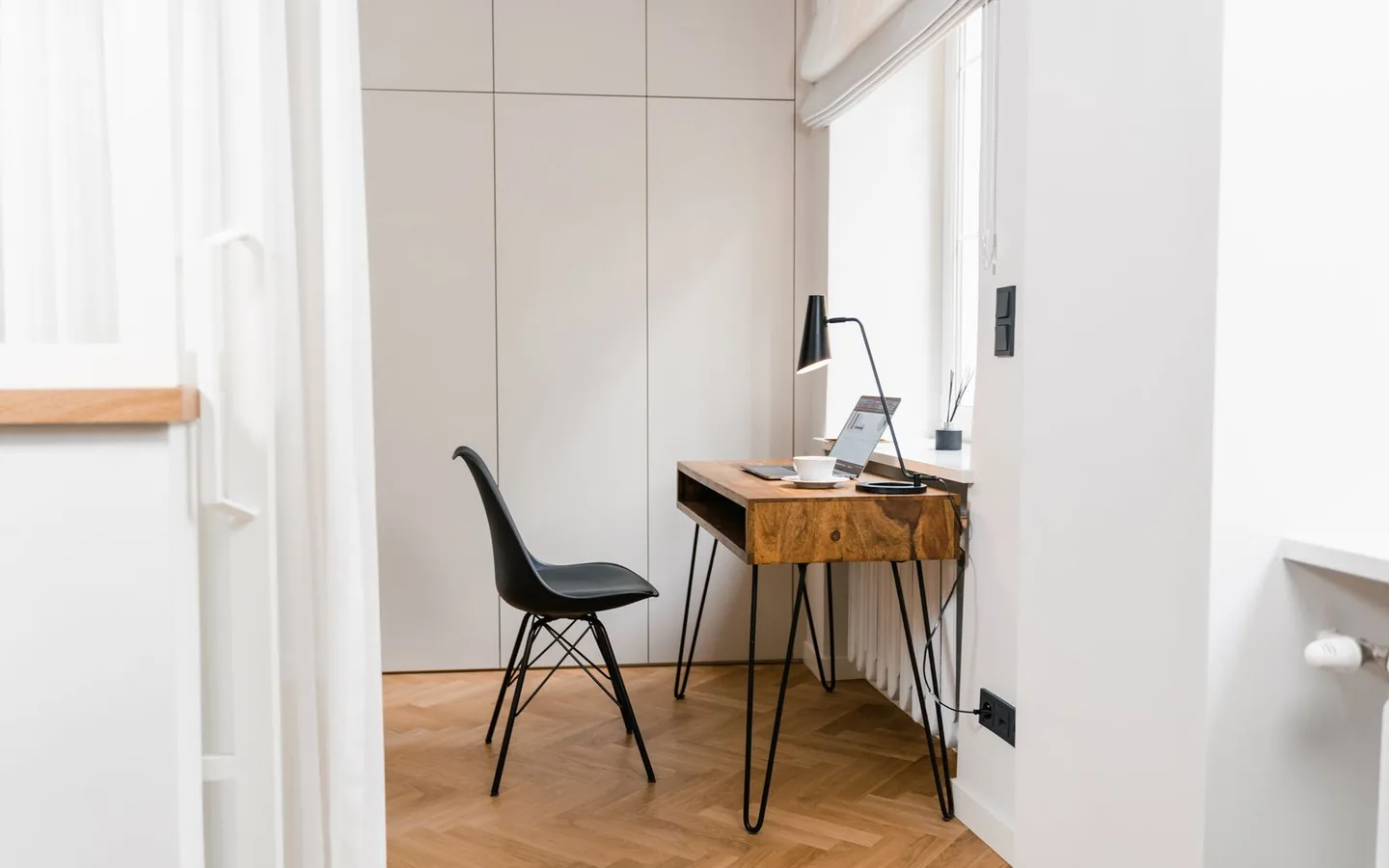
Choose a position that leaves the shared route clear with the chair occupied. Check screen reflections, nearby noise, power, and where work equipment goes when the room changes back to household use.
Identify the hours the desk has to earn its space
A laptop opened on a kitchen table for an hour each afternoon needs less permanent furniture than a computer with two monitors and several long calls. Begin with the kind of work and when it happens. Note which equipment must stay connected, which conversations need privacy, and when another person uses the room. Someone working in a living area during school hours has a different problem from somebody taking calls alongside dinner preparation. Put both people's schedules on the plan. A good desk location should reduce the number of arrangements that have to be negotiated during the day.
Read the first and last five minutes of a shift. Does the room need a screen to stay out all the time, or just a place to set up quickly? Can a chair stay in the work zone while someone passes? Where does a notebook go when it contains information that should sit out of view? These moments often reveal a better design than measuring the current laptop. A desk that makes setup simple may be smaller than a display area containing office supplies. Separate what is necessary at hand from what is simply stored near work by habit.
Choose the approach before the view from the webcam
Try two or three positions using a table you already own. In each, sit as you normally would and ask another person to cross the room. Check the space when the chair is pulled back, when somebody carries a bag, and when a nearby cabinet or door is open. A nook can make a desk look modest and leave someone trapped between furniture while sitting. A wall-side position with an open approach can work differently. Draw the operating footprint of the chair in addition to the desk. A passage must function while someone uses the equipment, including the movement required to get up.
Decide whether the position takes space from something useful. A desk beside a window might have good light and occupy the only place a laundry rack fits. A dining-room corner may seem free except when a visitor sits at the end of the table. One move in the plan may shift a conflict by a few steps. Check the expected duration. A compromise that lasts ten minutes each Thursday is different from one that makes the rest of the household change routes all day. Mark the areas where no equipment should be left, such as near an entrance or along a shared access path.
Check the light in both directions
Look at the screen when the sun is strongest and when the room's evening lights are on. A window reflected in it can be distracting. A bright window directly behind it can also be hard to look toward for a long time. Try a position with the window to one side, then check the lighting for written material, the room, and video calls. A shade may let you manage change across a day without giving up the useful daylight in the rest of the room. Test whatever adjustment is likely to be used frequently. A blind that blocks needed light may get left open despite glare.
Next look outward from the desk. A work light should reach the task and avoid filling another person's view or reflecting in a television. Test an adjustable lamp where one can be used without a cable crossing a walkthrough. Ask the person working at the desk how the screen height, keyboard, and available leg space feel after a typical session. A wall-mounted or folding surface needs to place the equipment at usable heights and depths. Get the applicable mounting and support details checked before installing it. Size the work area for a real working posture, with enough room for feet, mouse movement, and comfortable changes of position.
Put storage where the end-of-day reset happens
Look at your equipment and decide what stays in place and what moves. A laptop and notebook can move to a tray or drawer if their charger and stand are easy to reconnect. A monitor can remain in place if the room has a useful view around it. A small cabinet immediately beside the working position can save several trips, provided it opens clear of the seat and the corridor. Prioritize space for a notebook, headset, and other daily objects. Separate occasional equipment such as paper supplies and spare cables so it does not crowd the box or shelf used twice every day.
Give the work area its own endpoint. A roll-top desk, a drawer for accessories, or a pair of cabinet doors can visually quiet a desk when people come home. Check ventilation and clearance for any powered equipment in the enclosure, and follow the product guidance. A folding worktop can be helpful when the setup really can be put away. Run through closing it while everything is out. If all the contents have to move to the sofa first, the design may discourage the habit it assumes. A modest worktop with a dedicated home for each object can reset faster than furniture with many moving parts.
Decide where a call can happen
Listen to the room at a time when the household and desk are both active. A television, a doorway, and a kitchen can each interrupt a call in a different way. Move the chair closer to a region that receives less of the competing activity. See what happens across an open doorway. Headphones and a suitable microphone can help an ordinary meeting, but check whether the person needs to protect spoken or displayed information. A shared room may be suitable for routine work and require another space for a private conversation. Plan that arrangement so it works at short notice.
Set the actual webcam view before adding a divider or extra shelves. A lamp at the right height or a small change in chair position may resolve a busy background. A divider can hide movement and protect a view, while its effect on sound depends on its design and placement. A tall one may also interfere with daylight or a normal route. Try a simple, safely supported temporary arrangement first. Check how the room feels from the other seat. If a screen creates a secluded view while obstructing the only pleasant place to sit elsewhere, a less substantial visual boundary might work better.
Plan power for a desk someone uses every day
Identify where the computer, lamp, network equipment, or accessories need power. Arrange ordinary cable runs clear of walkways and the movement of the chair. Check that plugs remain reachable and that the proposed furniture has space for equipment and its required ventilation. If you plan to add sockets or route power through a cabinet, use the services of a qualified professional where needed. A cord that stretches neatly under a table when photographed may land in a doorway when the table moves. Compare setups with everything connected and with the room in its non-work arrangement.
Consider whether a mobile desk depends on reliable wireless access or fixed connections. Test the expected location while people use the network as usual. Check storage for an external drive or work papers and whether access needs to be restricted. People may adopt the easiest available action, so give essential routines a practical place. For example, keep a suitable bag beside the desk if someone frequently carries the whole kit to another room. Mark household items that share the surface and make an agreement for when they may sit there. Clarity about one small area can prevent a recurring dispute over the whole room.
Fit the furniture to the experiment
Set the work surface at its proposed size for several sessions. Use an existing table or a securely placed trial piece suitable for the task. Check whether the chair can move close enough, whether work material can be spread out, and whether frequently handled things are within reach. Reserve enough depth for the equipment to sit comfortably. A chair that tucks in completely can reduce visual bulk, if it still supports the way a person sits and suits the underside of the desk. Ask for furniture dimensions including any supports, side panels, or projecting handles that affect how the arrangement actually works.
If the test exposes a problem, identify the change that solves it before considering a new piece. A short cabinet beside a folding laptop surface can create a workable station if storage was the obstacle. A quiet corner may deserve a deeper desk if the screen requires it and moving through the room remains easy. Compare a freestanding option with a built-in using the likelihood of change. Somebody who expects to move, change jobs, or use a larger screen later may value pieces that can be rearranged. Built-in work can make use of an awkward recess, and that gain should be visible in the tested layout.